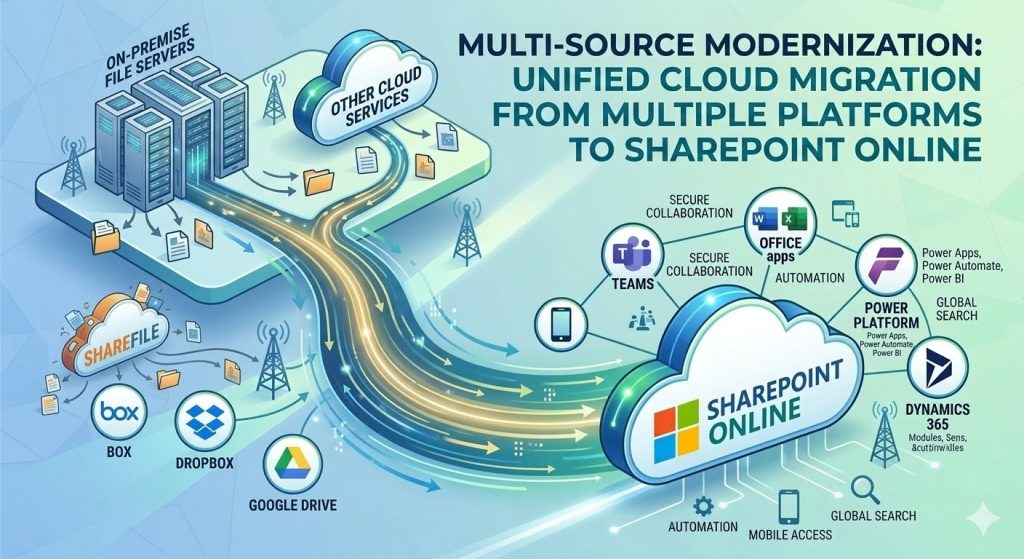
As organizations continue to evolve in a cloud-first world, file storage platforms must keep pace with growing demands for collaboration, security, automation, and scalability. Many companies that once relied on Citrix ShareFile for document storage and sharing are now considering a transition to SharePoint Online as part of their broader Microsoft 365 ecosystem. This shift is not simply about changing where files are stored—it is about modernizing the way teams work, communicate, and manage information.
Migrating from ShareFile to SharePoint Online allows businesses to unify file management, improve collaboration, and take advantage of advanced tools that were not available when ShareFile was first adopted. However, the migration process requires careful planning, technical knowledge, and a clear understanding of both platforms to ensure a smooth transition without data loss or workflow disruption.

This guest post explores why organizations are making the move, the benefits of SharePoint Online, common migration challenges, and best practices to ensure a successful modernization of file storage.
Why Organizations Are Moving Away from ShareFile
ShareFile has long been a reliable solution for secure file sharing, especially for industries that require strong compliance and controlled access. However, as businesses adopt Microsoft 365, maintaining a separate storage platform can create inefficiencies.
One of the biggest reasons organizations migrate is the need for a unified digital workplace. ShareFile operates as a standalone system, while SharePoint Online integrates directly with Microsoft Teams, OneDrive, Outlook, and other Microsoft services. This integration eliminates the need to switch between tools and allows employees to collaborate in real time.
Another factor is scalability. As companies grow, they require more flexible storage, better search capabilities, and automation features. SharePoint Online is designed to scale with enterprise needs, making it a more future-ready solution.
Cost is also a consideration. Many organizations already pay for Microsoft 365 licenses that include SharePoint Online, so continuing to maintain ShareFile can lead to unnecessary expenses. Consolidating platforms reduces licensing costs and simplifies IT management.
Security and compliance improvements are another major driver. Microsoft continuously updates SharePoint Online with advanced security features, including data loss prevention, conditional access, retention policies, and audit logging. These capabilities make it easier for organizations to meet regulatory requirements.
Advantages of SharePoint Online for Modern File Management
SharePoint Online is more than a storage platform. It is a collaboration and content management system designed for modern workplaces.
1. Seamless Integration with Microsoft 365
One of the strongest advantages of SharePoint Online is its native integration with Microsoft 365. Files stored in SharePoint can be accessed directly from Teams, edited in Office apps, and shared through Outlook without downloading or re-uploading.
This integration improves productivity because employees spend less time managing files and more time working on them.
2. Real-Time Collaboration
Unlike traditional file storage systems, SharePoint Online allows multiple users to edit documents at the same time. Changes are saved automatically, and version history ensures that no work is lost.
Real-time collaboration is especially valuable for remote and hybrid teams that need to work together across different locations.
3. Advanced Search and Metadata
SharePoint Online provides powerful search capabilities that make it easy to find documents quickly. Metadata, tagging, and content types allow organizations to organize files in a structured way instead of relying on complex folder hierarchies.
This improves efficiency and reduces the time employees spend looking for information.
4. Built-In Security and Compliance
Security is a critical factor when modernizing file storage. SharePoint Online includes enterprise-grade security features such as:
-
Multi-factor authentication
-
Role-based access control
-
Data encryption
-
Compliance policies
-
Audit logs
These features help protect sensitive information while still allowing users to collaborate effectively.
5. Automation and Workflow Capabilities
SharePoint Online works with Microsoft automation tools to streamline business processes. With the help of power platform services, organizations can create automated approvals, notifications, and data flows that reduce manual work.
Automation not only saves time but also reduces the risk of human error.
Planning the Migration from ShareFile to SharePoint Online
A successful migration requires more than copying files from one system to another. Without proper planning, organizations may experience broken links, missing permissions, or disorganized content.
Step 1: Assess Existing Data
Before migration begins, it is important to review the current ShareFile environment. This includes:
-
Identifying active vs inactive files
-
Removing duplicate content
-
Checking folder structures
-
Reviewing permissions
Cleaning up data before migration reduces complexity and ensures that only necessary files are moved.
Step 2: Define the SharePoint Structure
SharePoint uses sites, libraries, and metadata instead of traditional folder-only storage. Planning the structure in advance helps avoid confusion later.
Organizations should decide:
-
How many sites are needed
-
How documents will be grouped
-
What permissions each team requires
-
What metadata should be used
A well-designed structure improves usability and long-term efficiency.
Step 3: Choose the Right Migration Tools
Manual migration is rarely practical for large organizations. Specialized migration tools can transfer files, permissions, and metadata more accurately.
Working with experienced professionals, such as SharePoint experts in USA, can help ensure that the migration is completed correctly and on schedule.
Step 4: Test Before Full Migration
A pilot migration should always be performed before moving all data. Testing allows IT teams to identify issues and fix them early.
Common problems found during testing include:
-
Incorrect permissions
-
File path limitations

-
Unsupported file types
-
Broken links
Fixing these issues before full deployment prevents major disruptions.
Step 5: Train Users
Technology changes can be challenging for employees. Training ensures that users understand how to work in SharePoint Online and take advantage of its features.
Training should cover:
-
Uploading and sharing files
-
Using Teams with SharePoint
-
Searching for documents
-
Managing versions
User adoption is one of the most important factors in a successful migration.
Common Challenges During Migration
Even with good planning, organizations often face challenges when moving from ShareFile to SharePoint Online.
Permission Mapping
ShareFile and SharePoint use different permission models. Converting access rights correctly is essential to maintain security.
File Path Limits
SharePoint has limitations on file path length. Long folder names in ShareFile may need to be shortened before migration.
Metadata Differences
ShareFile relies heavily on folders, while SharePoint encourages metadata. Converting to a metadata-based structure requires planning.
User Resistance
Employees may be comfortable with ShareFile and hesitant to switch. Clear communication and training help reduce resistance.
Integration Adjustments
Applications that previously connected to ShareFile may need to be updated to work with SharePoint Online.
Best Practices for a Smooth Transition
To minimize risk and maximize success, organizations should follow proven best practices.
-
Start with a clear migration strategy
-
Clean up data before moving it
-
Use automated migration tools
-
Perform pilot testing
-
Train users early
-
Monitor after migration
Post-migration monitoring ensures that users can access files and that workflows continue to operate correctly.
The Role of SharePoint in Digital Transformation
Migrating to SharePoint Online is often part of a larger digital transformation strategy. Once files are stored in SharePoint, organizations can take advantage of additional Microsoft 365 capabilities.
These include:
-
Microsoft Teams for communication
-
Power Automate for workflows
-
Power Apps for custom applications
-
Power BI for reporting
Together, these tools create a modern digital workplace where information flows smoothly between systems.
This transformation allows businesses to move beyond simple file storage and build intelligent processes that support growth.
Future-Proofing Your File Storage Strategy
Technology continues to change rapidly, and organizations need solutions that can adapt. SharePoint Online is constantly updated with new features, security improvements, and integration options.
By migrating from ShareFile, companies position themselves for the future instead of maintaining outdated systems.
Modern file storage should support:
-
Remote work
-
Mobile access
-
Automation
-
Strong security
-
Easy collaboration
SharePoint Online meets all of these requirements while remaining flexible enough to grow with the organization.
Conclusion
Modernizing file storage is no longer optional for organizations that want to stay competitive. Migrating from ShareFile to SharePoint Online provides a powerful opportunity to improve collaboration, enhance security, reduce costs, and prepare for future growth.
Although the migration process requires careful planning, the long-term benefits far outweigh the challenges. With the right strategy, proper tools, and experienced guidance, organizations can transition smoothly and unlock the full potential of the Microsoft 365 ecosystem.
By treating migration as a modernization project rather than a simple file transfer, businesses can create a smarter, more efficient, and more connected workplace that supports success for years to come.