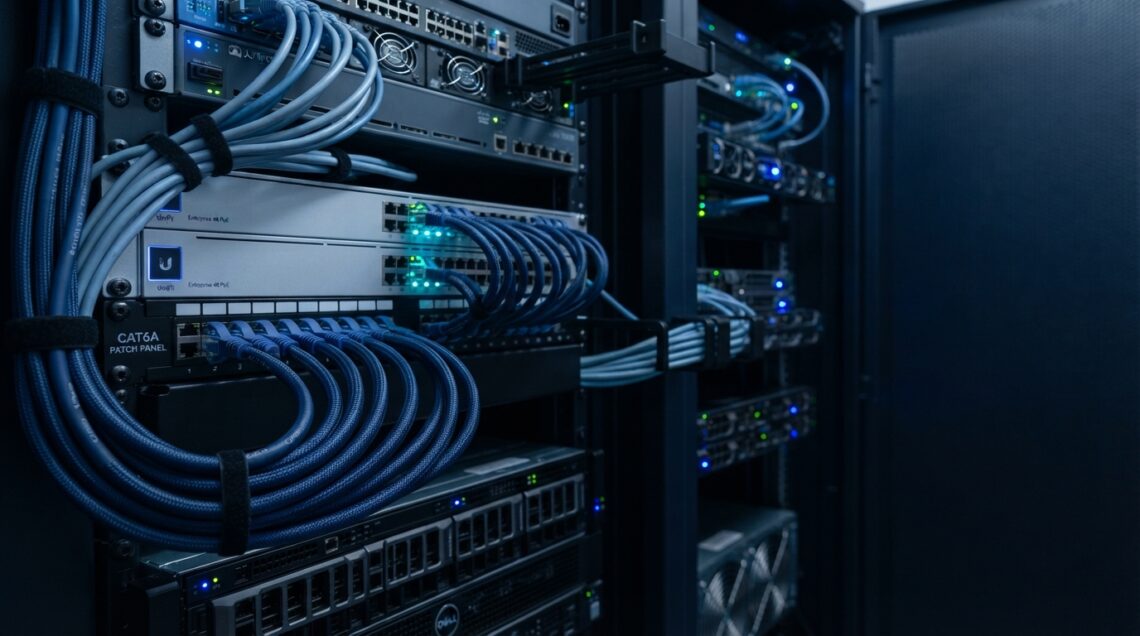
New cable categories come out, and it’s tempting to assume the newest option is automatically worth installing. But not every network needs a cable upgrade simply because a newer cable exists on the market.
Faster internet services, growing bandwidth requirements, more connected devices, larger file transfers, and cloud-based applications have all changed what networks are expected to handle. Homes and businesses are expanding their networks to keep up.
Cat6a is clearly a capable cable — that’s not really in question. The real question is whether your network has reached the point where upgrading actually makes sense.
The answer depends on a handful of practical factors:
- Your network speed
- Cable length
- Existing equipment
- Installation environment
- Current bottlenecks
- Future plans
Cat6a Ethernet cable supports up to 10Gbps speeds and 500 MHz of bandwidth, making it a strong option for high-performance networking. This article walks through the situations where that upgrade is worth making — and where it isn’t.
What Is Cat6a Ethernet Cable?
Cat6a, short for “Category 6 Augmented,” is an enhanced version of standard Cat6 Ethernet cable. It supports Ethernet speeds of up to 10 Gbps and carries a bandwidth rating of 500 MHz — roughly double what Cat6 offers.
Cat6a is designed to maintain 10Gbps performance across a full 100-meter structured cabling channel. That’s the standard maximum run length used in most installations.
Compared to Cat6, Cat6a also offers improved crosstalk performance, thanks to tighter, more consistent twisted-pair construction. It’s available in a few configurations:
- UTP (unshielded) — standard construction for most installations
- Shielded (F/UTP) — added protection against interference
- Plenum-rated — for air-handling spaces
- Riser-rated — for vertical building runs
That’s the short version. The rest of this article focuses on when those capabilities actually matter for your network.
Signs Your Network May Need a Cable Upgrade
Your Internet Speed Has Increased
Upgrading to a faster internet plan often puts more emphasis on the rest of your network infrastructure — a fast connection is only useful if your equipment and cabling can keep up with it.
That said, a faster ISP plan doesn’t automatically mean Cat6a is required. Many faster plans still fall well within what Cat6 can comfortably handle.
You Need 10Gbps Networking
If you’re deploying 10Gbps switches, high-speed NAS systems, servers, or workstations that regularly move large files, Cat6a is well suited to supporting that kind of structured cabling. This is one of the clearest, most direct reasons to consider the upgrade.
You’re Experiencing Network Bottlenecks
Slow large-file transfers, backup delays, and general network congestion are common complaints — but cabling is only one possible cause. Before assuming your cable is the problem, check these first:
- Your equipment
- Wi-Fi performance
- ISP speed
- Switches and routers
- Network configuration
You’re Rebuilding or Expanding Your Network
Building a new home, renovating, opening a new office, or installing structured cabling from scratch are all situations where choosing Cat6a can make sense — simply because you’re already doing the labor-intensive work of running cable.
When Cat6 May No Longer Be Enough
Cat6 remains a capable, widely used option for many networks, and it can support 10Gbps speeds over shorter distances under suitable conditions. For a lot of home and small office setups, it continues to work well.
Where Cat6 starts to show its limits:
- Longer cable runs, where maintaining higher speeds becomes less consistent
- High-density cable environments, such as server rooms or large equipment racks, where crosstalk performance matters more
- Planned network expansion, where future bandwidth needs are already known
None of this makes Cat6 obsolete. The decision should come down to your actual requirements — cable length, environment, and expected future use — rather than defaulting to whichever category is newest.
Cat6 vs. Cat6a: Should You Make the Upgrade?
| Feature | Cat6 | Cat6a |
|---|---|---|
| Bandwidth | 250 MHz | 500 MHz |
| 10Gbps | Shorter runs/conditions | Up to 100m channel |
| Crosstalk Protection | Good | Improved |
| Cable Size | Generally smaller | Generally larger |
| Cost | Lower | Higher |
| Best Use | Standard networks | High-performance/future-ready networks |
Cat6 is generally sufficient for standard internet usage, everyday file sharing, and networks with shorter cable runs and modest bandwidth needs.
Cat6a offers a meaningful advantage when:
- You need consistent 10Gbps performance across longer runs
- You’re installing cable in a high-density environment
- You want more headroom for future upgrades
Cost and installation are worth factoring in too. Cat6a typically costs more than Cat6 and is slightly thicker, which can matter in tight conduit or dense cable bundles. If your current network isn’t hitting any real limitations and you don’t have specific plans that require 10Gbps, there’s no strong technical reason to replace a working Cat6 installation just for the sake of upgrading.
Do You Need Cat6a for Faster Internet?
It’s worth separating two different things:
- Internet speed — how fast data moves between your network and the wider internet
- Local network speed — how fast data moves between devices on your own network, such as a NAS, a server, or one workstation transferring files to another
Someone with a 1Gbps internet connection and typical browsing, streaming, and email use likely doesn’t need Cat6a; standard Cat6 can comfortably handle that traffic. On the other hand, someone with a multi-gigabit internet plan — or with heavy local network activity like large backups or server-to-workstation transfers — may see a real benefit from Cat6a.
Either way, the entire network path — cable, switches, routers, and network cards — needs to support your target speed. Upgrading the cable alone won’t create a faster network if the rest of the equipment can’t keep pace.
When Cat6a Is a Smart Upgrade for Home Networks
Cat6a tends to make the most sense for homes with:
- Multi-gigabit internet service
- A home server or NAS system
- Frequent large file transfers
- Serious gaming setups
- 4K/8K media workflows
- Home offices with heavy video conferencing or cloud-based work
- Growing smart home systems
- New home construction, where running capable cable during the build avoids future rewiring
For basic browsing, email, ordinary streaming, and typical day-to-day home use, an existing Cat6 installation is often still more than adequate. The decision should come down to your actual use case, not simply the availability of a newer cable category.
When Businesses Should Consider Cat6a
Businesses often have stronger reasons to upgrade than typical home users:
- Growing employee counts and more connected devices
- Cloud-heavy workflows and large file transfers
- Server and NAS connections
- Video production, design, or engineering work
- Data centers and server rooms
- IP camera deployments and PoE installations
Office expansions and major infrastructure upgrades are particularly good opportunities to install Cat6a, since future rewiring in a finished commercial space can be disruptive and expensive. Handling it once, during construction or renovation, is often more practical than revisiting it later.
Cat6a for Long Cable Runs and High-Density Environments
Cat6a is particularly useful for longer structured cabling runs, large buildings, server rooms, and installations with dense cable bundles. Its ability to maintain 10Gbps performance across a full 100-meter channel makes it a better fit than Cat6 for commercial and industrial environments where cable runs are longer and more complex.
Improved crosstalk performance also matters more as more cables are bundled together — common in server rooms and equipment racks. In environments with significant electromagnetic interference, shielded Cat6a can offer additional protection.
As with any cable decision, the physical installation environment should guide the choice, not just the target speed.
Things to Check Before Upgrading to Cat6a
Check your network equipment. Review your switches, routers, network interface cards, patch panels, and keystone jacks to see whether they support the speeds you’re aiming for.
Check your current cable. Consider its category, length, physical condition, and how well it was originally installed.
Identify the actual bottleneck. Slow performance could be caused by your ISP, router, switch, Wi-Fi, network interface, cable, or configuration — not necessarily the cable itself.
Consider future requirements. Think about expected internet speeds, potential 10Gbps needs, new devices, office expansion, or NAS and server plans.
Consider installation costs. Factor in labor, wall and ceiling access, cable pathways, downtime, and how disruptive the work will be to existing infrastructure.
Working through these points can help you decide whether replacing your existing cable is genuinely necessary, or whether the real issue lies elsewhere in your network.
Which Cat6a Cable Should You Choose?
If you do decide to upgrade, the right Cat6a configuration depends on your environment:
- Cat6a UTP — unshielded, works well for most standard installations
- Cat6a Shielded/F/UTP — adds protection in environments with significant electromagnetic interference
- Cat6a Plenum — rated for air-handling spaces like drop ceilings
- Cat6a Riser — designed for vertical runs between floors
For permanent structured cabling, solid bare copper construction is commonly preferred over other conductor materials for its consistent long-term performance.
Speed isn’t the only factor here — the installation environment and building code requirements matter just as much when choosing the right cable.
Fire-Rated Ethernet Cable for Safer Network Installations
For networking projects where fire safety and reliable performance are both important, fire-rated Ethernet cable can be a practical choice. These cables are designed for installations where additional fire protection is required, helping support safer and dependable network infrastructure.
Why Choose BNCables for Cat6a Ethernet Cable?
BNCables provides Cat6a Ethernet cable in UTP, shielded, plenum, and riser configurations, all built with solid copper construction for reliable performance. Whether you’re planning a residential upgrade, a commercial installation, or a larger structured cabling project, there are options suited to different environments and budgets.
For bulk purchasing needs, you can explore Cat6a Ethernet Cables to find cable that matches your project’s requirements.
Conclusion
Upgrading to Cat6a Ethernet cable makes the most sense when:
- You need 10Gbps networking
- You’re moving to multi-gigabit internet service
- You have longer structured cabling runs
- You’re working in a high-density environment
- You’re building or renovating and want to avoid future rewiring
- You expect significant bandwidth growth in the years ahead
Faster internet alone doesn’t automatically mean you need a cable upgrade. Before deciding, take a look at your complete network — equipment, cable length, installation environment, current performance, and realistic future needs. If those factors point toward higher speeds and longer-term planning, exploring suitable Cat6a Ethernet cable options is a reasonable next step.