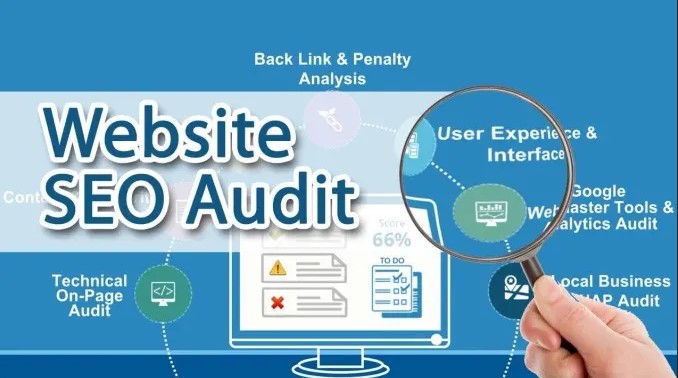
Your website can look great and still struggle to rank. That surprises many site owners. They publish quality content, invest in design, and even build backlinks, yet organic traffic barely moves.
The reason is simple. Search performance depends on far more than content alone. Technical errors, slow loading pages, broken links, poor internal linking, and indexing issues quietly affect rankings without obvious warning signs.
If you want consistent SEO growth, you need a structured process instead of random fixes. Let’s walk through the steps that matter most.
Start with an AI website audit tool to uncover hidden issues
The first step isn’t changing pages—it’s understanding what’s actually wrong.
An AI website audit tool helps analyze technical SEO, user experience, crawlability, and performance in one place. Instead of manually checking hundreds of URLs, it identifies patterns such as duplicate metadata, orphan pages, Core Web Vitals issues, missing structured data, and internal linking gaps.
Think of it like a health checkup.
You wouldn’t take medicine without knowing the diagnosis, and you shouldn’t optimize a website before understanding where problems exist. Modern audit platforms combine crawl data, search signals, and machine learning to highlight the issues most likely to affect search visibility.
The audit becomes your roadmap rather than a random list of tasks.
Step 1: Review Website Crawlability
Search engines cannot rank pages they cannot properly crawl.
Begin by checking whether important pages are accessible to search engine bots. Review your robots.txt file, XML sitemap, canonical tags, and crawl directives to ensure valuable content isn’t accidentally blocked.
Pay close attention to:
- Broken internal links
- Redirect chains
- Incorrect canonical tags
- Duplicate URLs
- Pages returning 404 or 500 status codes
Even a handful of crawl errors can reduce how efficiently search engines discover new content.
Step 2: Improve Page Speed and Core Web Vitals
Nobody enjoys waiting for a slow page.
Visitors leave quickly, and search engines notice that behavior. Speed optimization has become a core part of technical SEO because user experience directly influences engagement metrics.
Simple improvements often include:
- Compressing large images
- Using next-generation image formats
- Enabling browser caching
- Minifying CSS and JavaScript
- Reducing unnecessary third-party scripts
- Implementing lazy loading
Real-world example:
A page loading in 5.8 seconds may drop to 2.1 seconds simply by optimizing image sizes and removing unused JavaScript files. That improvement often reduces bounce rates while increasing average session duration.
Step 3: Analyze Technical SEO Signals
Technical SEO is the foundation beneath every successful website.
This is where many ranking problems hide because users rarely notice technical issues until traffic begins declining.
During your review, examine:
- HTTPS implementation
- Mobile usability
- Structured data
- Duplicate title tags
- Meta description quality
- Pagination
- Canonical consistency
- XML sitemap accuracy
One useful practice is comparing indexed pages against your actual published pages. If those numbers differ significantly, indexing issues may be preventing search engines from discovering valuable content.
Step 4: Evaluate Content Quality and Search Intent
Not every page deserves to rank.
Some pages target outdated keywords, answer the wrong questions, or fail to satisfy user intent. That makes them difficult for search engines to recommend.
Instead of asking, “Did I publish enough content?”, ask:
“Did this page completely answer the visitor’s question?”
Content audits often reveal opportunities to:
- Refresh outdated statistics
- Expand thin articles
- Merge overlapping pages
- Improve topical depth
- Strengthen semantic relevance
Adding supporting FAQs, updated screenshots, practical examples, and clearer headings can significantly improve content usefulness without rewriting an entire article.
Step 5: Strengthen Internal Linking
Internal links help both users and search engines.
They distribute authority across your website while making important pages easier to discover.
A strong internal linking strategy should:
- Connect related articles naturally
- Link newer pages from authoritative content
- Avoid excessive links on one page
- Use descriptive anchor text
- Reduce orphan pages
Imagine every internal link as a road connecting cities. Better roads mean easier navigation for both visitors and search engine crawlers.
Step 6: Monitor User Experience Metrics
SEO isn’t just about rankings anymore.
User behavior tells search engines whether visitors actually find value after clicking your result.
Watch metrics like:
- Bounce rate
- Average engagement time
- Scroll depth
- Click-through rate (CTR)
- Returning visitors
- Conversion paths
For example, if a page ranks well but visitors leave within ten seconds, the issue may not be SEO—it may be confusing content, intrusive pop-ups, or slow loading sections.
Small usability improvements often create measurable ranking benefits over time.
Step 7: Check Backlink Health
Backlinks remain an important ranking signal, but quality matters much more than quantity.
Review your backlink profile to identify:
- Toxic referring domains
- Broken backlinks
- Lost backlinks
- Anchor text distribution
- Authority of linking websites
A healthy backlink profile develops naturally through valuable content rather than aggressive link acquisition strategies.
It’s also worth monitoring new backlinks monthly to detect unusual spikes that may require investigation.
Step 8: Track Performance and Continue Improving
SEO is never finished.
Search algorithms evolve. Competitors publish new content. User behavior changes.
That’s why successful websites measure progress instead of assuming everything continues working.
Track indicators such as:
- Organic traffic growth
- Keyword rankings
- Indexed pages
- Core Web Vitals
- Crawl errors
- Conversion rates
- Click-through rate
- Average position in search results
Monthly reporting makes trends easier to spot before they become major problems.
Even a small decline across several metrics may indicate a technical issue worth investigating early. Following a complete website audit checklist during routine reviews helps ensure that important technical, content, and performance factors are evaluated consistently instead of being overlooked.
Step 9: Optimize Images for Better Performance and Visibility
Images do more than make a page visually appealing—they also influence page speed and search visibility.
Large, uncompressed files can slow down loading times, especially on mobile devices. At the same time, missing alt text prevents search engines from understanding what an image represents.
A few image optimization best practices include:
- Compress images before uploading them.
- Use modern formats like WebP where supported.
- Write descriptive, keyword-relevant alt text.
- Rename image files with meaningful names instead of generic filenames like IMG_1234.jpg.
- Specify image dimensions to reduce layout shifts.
These small improvements enhance user experience while helping search engines better interpret your visual content.
Step 10: Fix Duplicate Content and Canonical Issues
Duplicate content doesn’t always lead to penalties, but it can confuse search engines about which version of a page should rank.
This commonly happens because of:
- HTTP and HTTPS versions of the same page
- URL parameters
- Printer-friendly pages
- Similar product pages
- Pagination
Using canonical tags correctly tells search engines which URL should be treated as the primary version. It’s also a good idea to review duplicate title tags and meta descriptions during regular SEO audits, as they often indicate pages competing with one another.
Common Website Audit Mistakes to Avoid
Many websites repeat the same mistakes year after year.
Here are a few worth avoiding:
- Ignoring mobile usability
- Leaving broken links unresolved
- Publishing duplicate content
- Forgetting image optimization
- Skipping structured data validation
- Allowing outdated pages to remain unchanged
- Focusing only on rankings instead of user experience
- Running audits once instead of regularly
Consistency usually produces better long-term SEO improvements than occasional large-scale optimization projects.
Final Thoughts
Improving website performance doesn’t happen through one quick fix. It’s a process built on regular analysis, technical maintenance, better content, and continuous monitoring.
As your website grows, small technical issues naturally accumulate. Addressing them early keeps your site healthy, improves the user experience, and makes it easier for search engines to understand your content. Whether you’re managing a personal blog, an eCommerce store, or a business website, following a structured workflow provides far better results than guessing what needs attention. If you’re building your own optimization process, keeping a complete website audit checklist ensures every important SEO element is reviewed systematically rather than overlooked.